explain the purpose of different software utilities
Drive formatting
when you format a drive you are removing all data on your computer so it will be back to the out of box state with nothing but your operating system on it this way you can solve problems that are affecting your computer like viruses that you are struggling to remove
security virus protection and firewalls
virus protection software
virus protection software will help protect your computer from viruses because it can help you in many ways for example you can have some of the software that focuses on protecting you online and stopping you from accessing dangerous sites that may cause a treat to your computer and another part of your software could focus on the computer and the files and it can find infected files and remove them or store them in the virus vault so they can not be accessed or infect your computer anymore the virus vault is were your infected files are stored this way the software will be protecting your computer from the files and making it so the files can not infect anymore of your computer
firewalls
the firewall a computer helps stop people such as hackers from accessing your computer were they might gain access to data such as bank details so the fire wall can protect you wail browsing the Internet
clean up tools for removal of cookies Internet history and defragmetation
cookies
cookies are data that goes from site to sight with you so the computer will start to understand what you like for example you can have a sight you visit regularly and the computer will ask if you want to store the password and if you do it will store it in the cookies so the computer will be able to let the website access that information and if you are looking at a product on a site such as a dvd like the amazing spider man advert and you go on to a buying site like amazon the computer will be able to make that product a suggested buy so it know what you want to buy
defragmentation
when you defrag a computer the basic way to put it is it will be looking through all of your files and it will find empty or unused files that are taking up space that could be removed and it deletes them for example if you had a folder called videos and in that folder you had two folders one called bad videos and good videos but you have found alot of videos you do not like but none that are good if you defrag the computer it will find this unused file that is taking up space and it will remove it so this is how defragmentation can help speed up and free space on your computer
Thursday, 25 April 2013

Friday, 19 April 2013
P2
operating system
the operating system on the computer is the core software that is installed on all new computers so when you first load up the computer all that is on there will be the operating software this is what interacts with your hardware and programs data & user's actions To create a User Interface' so human can interact with this system.


security


security
Every operation system will have preferences to the style of security it will provide and it will be able to control how protected you are and what you are protected from for example the security can protect you in different ways like there could be a section that specifically protects you from online threats and another section that makes sure your hardware is safe.

file management
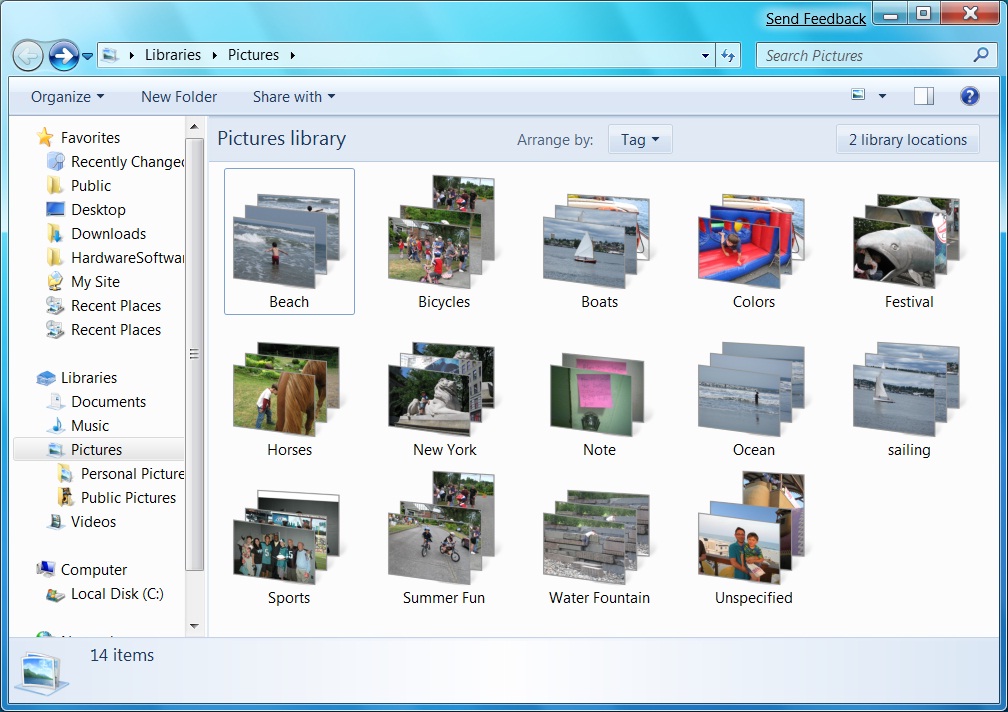
The operation system will have a specific way it will provide you options to manage were your files are and how to access them for example you can add folders and sub folders so you can be precise were your files are for example in IT my computer files are organised by having a IT folder and inside that is the unit folder and inside that is the work this helps because this way i can access the work that i want with ease without looking through hundreds of files looking for one this is all because of the operating system

device driver
a device driver operates or controls a particular type of device that is attached to a computer for example if you have a peripheral such as a printer and the computer is not compatible with the printer the computer will not be able to detect the printer this means you will need to update the drivers that is why most peripherals come with a software disk that will make the printer usable so the computer will detect it

machine and peripheral management
without the operating system you would not be able to manage your drivers so the operation system could not boot the correct driver to allow the peripheral to have access to the computer because of being able to manage your drivers you can tell if you every need to update a driver to allow a peripheral to work

file management
The operation system will have a specific way it will provide you options to manage were your files are and how to access them for example you can add folders and sub folders so you can be precise were your files are for example in IT my computer files are organised by having a IT folder and inside that is the unit folder and inside that is the work this helps because this way i can access the work that i want with ease without looking through hundreds of files looking for one this is all because of the operating system
device driver
a device driver operates or controls a particular type of device that is attached to a computer for example if you have a peripheral such as a printer and the computer is not compatible with the printer the computer will not be able to detect the printer this means you will need to update the drivers that is why most peripherals come with a software disk that will make the printer usable so the computer will detect it

machine and peripheral management
without the operating system you would not be able to manage your drivers so the operation system could not boot the correct driver to allow the peripheral to have access to the computer because of being able to manage your drivers you can tell if you every need to update a driver to allow a peripheral to work

Thursday, 18 April 2013
P1
Internal system unit component 1 processors
The computer CPU (central processing unit) is responsible for handling all instructions it receives from hardware components and software programs running on the computer The processor is the brains of your computer. It is the chip that performs all of the calculations and operations necessary to make your computer run it sends the information throughout the computer and tells everything else what to do

Internal system unit components 2 motherboard
the motherboard in a computer is like the skeleton in our body's because everything forms around it and uses it to transfer information to any parts that need it

Internal system unit components 3 BIOS
The BIOS or basic input output system is a chip that is on all motherboards it holds data that tells the computer how to boot up and how the system should operate

Internal system unit components 4 power supply
the power supply unit will moisture how much power is spread thought the computer and what parts revive what voltage using this power supply unit means the parts will have the right voltage and will pork efficiently

The computer CPU (central processing unit) is responsible for handling all instructions it receives from hardware components and software programs running on the computer The processor is the brains of your computer. It is the chip that performs all of the calculations and operations necessary to make your computer run it sends the information throughout the computer and tells everything else what to do

Internal system unit components 2 motherboard
the motherboard in a computer is like the skeleton in our body's because everything forms around it and uses it to transfer information to any parts that need it
Internal system unit components 3 BIOS
The BIOS or basic input output system is a chip that is on all motherboards it holds data that tells the computer how to boot up and how the system should operate

Internal system unit components 4 power supply
the power supply unit will moisture how much power is spread thought the computer and what parts revive what voltage using this power supply unit means the parts will have the right voltage and will pork efficiently

internal system unit components 5 fan and heat sink or cooling
the fan will spread air around the computer helping maintain the computers temperature so it runs smoothly if the parts overheat the can burn out and stop working

Internal system unit components 6 hard drive configuration and controllers SATA or IDE or EIDE
using these you can connect hard disks to the computer mainframe or motherboard

Internal system unit components 6 ports USB and/or parallel and/or serial
the USB port is the place were you can plug your external devices to connect to your computer and transfer data

Internal system unit components 7 internal memory RAM, ROM and cache
RAM or random access memory helps manage how much the computer can do at anyone given time it will make doing multiple things at the same time quicker on the computer and the whole thing should feel smoother

Internal system unit components 8 specialized cards network and/or graphic cards
the graphics card will make it possible for the computer to handle better quality and faster rendering without a graphics card the computer would be useless because you would not be able to see anything on the screen

Peripherals 1 printer
the printer takes your digital image or document from the computer and it transfers that image or text onto paper so you can have a solid copy of your work

Peripherals 2 scanner
a scanner is used to digitally copy a image put onto it the laser on the scanner goes across the image and detects all of the different colors and places them in the same place in a digitally rendered version of the same image

Peripherals 3 twisted pair cabling
there are two types of twisted pair cabling that are made up of two insulated wires crossed together the two types are shielded and unshielded the difference is the shielded wires protect agains transmissions wail the unshielded ones do not
Backing Storage 1 pen drive

pen drives or memory sticks store data from your computer so you can access it were ever you have that pen drive and because the size of the pen drive and the memory in them are getting larger its meaning we can have every file from our computer in our pocket accessible any ware for example you can now get a terabyte memory stick and that is larger than the hard drive i have in my computer at the minute

Backing Storage 2 hard drive
the hard drive is the place were all of the computers files will be stored you can get normal hard drives that have moving parts and are more open of wear and can break a bit easier than there counterpart the solid state hard drive that has no moving parts so it stronger and lasts longer

the fan will spread air around the computer helping maintain the computers temperature so it runs smoothly if the parts overheat the can burn out and stop working

Internal system unit components 6 hard drive configuration and controllers SATA or IDE or EIDE
using these you can connect hard disks to the computer mainframe or motherboard
Internal system unit components 6 ports USB and/or parallel and/or serial
the USB port is the place were you can plug your external devices to connect to your computer and transfer data

Internal system unit components 7 internal memory RAM, ROM and cache
RAM or random access memory helps manage how much the computer can do at anyone given time it will make doing multiple things at the same time quicker on the computer and the whole thing should feel smoother

Internal system unit components 8 specialized cards network and/or graphic cards
the graphics card will make it possible for the computer to handle better quality and faster rendering without a graphics card the computer would be useless because you would not be able to see anything on the screen

Peripherals 1 printer
the printer takes your digital image or document from the computer and it transfers that image or text onto paper so you can have a solid copy of your work

Peripherals 2 scanner
a scanner is used to digitally copy a image put onto it the laser on the scanner goes across the image and detects all of the different colors and places them in the same place in a digitally rendered version of the same image

Peripherals 3 twisted pair cabling
there are two types of twisted pair cabling that are made up of two insulated wires crossed together the two types are shielded and unshielded the difference is the shielded wires protect agains transmissions wail the unshielded ones do not
Backing Storage 1 pen drive
pen drives or memory sticks store data from your computer so you can access it were ever you have that pen drive and because the size of the pen drive and the memory in them are getting larger its meaning we can have every file from our computer in our pocket accessible any ware for example you can now get a terabyte memory stick and that is larger than the hard drive i have in my computer at the minute
Backing Storage 2 hard drive
the hard drive is the place were all of the computers files will be stored you can get normal hard drives that have moving parts and are more open of wear and can break a bit easier than there counterpart the solid state hard drive that has no moving parts so it stronger and lasts longer

Monday, 11 March 2013
D1
Printers:
printers have changed allot over time and they are still changing people are finding ways to make the quicker smaller and more efficient all the time the first kind of printers were very slow because they were manual but after the 1800's new automated printers were being made and they were steam powered now we have much better printers that are widely accessible with many attachments such as scanners and different types of printers like laser printers and ink jet printers and even a printer that can print out 3D objects
inkjet printers:
inkjet printers are mostly used to for printing posters and printing for bitmap displays this affects the creation of graphics because inkjet printers are quite slow but since they are better for image quality you should choose these if you are doing large images or detailed images like posters they may take a wail longer to do the job but the outcome will be better
laser printers:
laser printers are often used for printing leaflets and flyers because they are fast at printing at a normal quality image that is why you would choose to use this king of printer when doing leaflets and flyers because you will want to print a large number of these to be distributed this affects the creation of graphics because it is fast at printing the leaflets and flyers compared to a ink jet printer that could do the same job but it would take allot longer
vinyl cutters:
Vinyl cutters and laser cutters are used for signage because they can create a detailed large image and they are good to used for creating signs for business that could be placed on the building or on vehicles
this affects the creation of graphics because a company could create there own signs for there business so it will make it cheaper and more personal because they will have the final design without anyone tweaking there designs before printing
D2
Photoshop
is a normal Photo shop image as it is a Photo shop image it allows you to change and edit specific layers. But the downside is the image file is very large so you need to compress the file so it is a size that is good for what you want to use the image for for example the JPEG is 23.83k and it would take 9 secomds to download but the PNG file is 92.31k and would take 34 seconds to download the diffrence in the size is from changing the ammount of colours in the image and changing the resolution this changes the size so it could be better to use for web images or a diffrent size would be better for printing

is a normal Photo shop image as it is a Photo shop image it allows you to change and edit specific layers. But the downside is the image file is very large so you need to compress the file so it is a size that is good for what you want to use the image for for example the JPEG is 23.83k and it would take 9 secomds to download but the PNG file is 92.31k and would take 34 seconds to download the diffrence in the size is from changing the ammount of colours in the image and changing the resolution this changes the size so it could be better to use for web images or a diffrent size would be better for printing

Thursday, 7 March 2013


Tuesday, 5 March 2013
P6
Legal Pitfalls.
there are many legal pitfalls when using other people intellectual property the most known one of these is copy right and this is were you have it so you legally own this property but there are many other ways to secure your intellectual property such as creative commons licenses these are different types of licenses you can get to make it clear to others how you want the content to be used these licenses are ...


Attribution
CC BY
CC BY
This license lets others distribute, remix, tweak, and build upon your work, even commercially, as long as they credit you for the original creation. This is the most accommodating of licenses offered. Recommended for maximum dissemination and use of licensed materials.

Attribution-NoDerivs
CC BY-ND
Attribution-NoDerivs
CC BY-ND
This license allows for redistribution, commercial and non-commercial, as long as it is passed along unchanged and in whole, with credit to you.

Attribution-NonCommercial-ShareAlike
CC BY-NC-SA
Attribution-NonCommercial-ShareAlike
CC BY-NC-SA
This license lets others remix, tweak, and build upon your work non-commercially, as long as they credit you and license their new creations under the identical terms.

Attribution-NonCommercial-NoDerivs
CC BY-NC-ND
Attribution-NonCommercial-NoDerivs
CC BY-NC-ND
This license is the most restrictive of our six main licenses, only allowing others to download your works and share them with others as long as they credit you, but they can’t change them in any way or use them commercially.

Attribution-NonCommercial
CC BY-NC
This license lets others remix, tweak, and build upon your work non-commercially, and although their new works must also acknowledge you and be non-commercial, they don’t have to license their derivative works on the same terms.

Attribution-ShareAlike
CC BY-SA
This license lets others remix, tweak, and build upon your work even for commercial purposes, as long as they credit you and license their new creations under the identical terms. This license is often compared to “copyleft” free and open source software licenses. All new works based on yours will carry the same license, so any derivatives will also allow commercial use. This is the license used by Wikipedia, and is recommended for materials that would benefit from incorporating content from Wikipedia and similarly licensed projects.
these licenses make it possibly to share work with the community and let them use it so they will be able to understand if they can use it for the project they are doing this can involve using other peoples intellectual property in monetized projects and public projects so everyone knows were they stand with the legality of there work using creative commons
Attribution-NonCommercial
CC BY-NC
This license lets others remix, tweak, and build upon your work non-commercially, and although their new works must also acknowledge you and be non-commercial, they don’t have to license their derivative works on the same terms.
Attribution-ShareAlike
CC BY-SA
This license lets others remix, tweak, and build upon your work even for commercial purposes, as long as they credit you and license their new creations under the identical terms. This license is often compared to “copyleft” free and open source software licenses. All new works based on yours will carry the same license, so any derivatives will also allow commercial use. This is the license used by Wikipedia, and is recommended for materials that would benefit from incorporating content from Wikipedia and similarly licensed projects.
these licenses make it possibly to share work with the community and let them use it so they will be able to understand if they can use it for the project they are doing this can involve using other peoples intellectual property in monetized projects and public projects so everyone knows were they stand with the legality of there work using creative commons
Subscribe to:
Posts (Atom)